[GH-ISSUE #255] [Bug] Cannot run on Macbook M1 chip #138

Closed
opened 2026-03-23 20:32:23 +00:00 by mirror · 10 comments
Owner

Originally created by @jzmini on GitHub (Jan 12, 2022).
Original GitHub issue: https://github.com/AppFlowy-IO/AppFlowy/issues/255

Originally assigned to: @appflowy on GitHub.

Describe the bug
Cannot run on Macbook M1 chip

To Reproduce
brew install appflowy
Click application/appflowy

Expected behavior
Main windows shows up

Screenshots
Nothing shows, no process named appflowy in the activity monitor.

Desktop (please complete the following information):

  • OS: macOS Monterey 12.1
  • Browser, both chrome and safari are installed
  • Version, chrome 97.0; Safari 15.2

Additional context

  • Environment [e.g. flutter doctor -v or rustup show]
Running "flutter pub get" in flutter_tools...                      17.6s
[✓] Flutter (Channel stable, 2.8.1, on macOS 12.1 21C52 darwin-arm, locale
    en-CN)
    • Flutter version 2.8.1 at /opt/homebrew/Caskroom/flutter/2.8.1/flutter
    • Upstream repository https://github.com/flutter/flutter.git
    • Framework revision 77d935af4d (4 weeks ago), 2021-12-16 08:37:33 -0800
    • Engine revision 890a5fca2e
    • Dart version 2.15.1

[✗] Android toolchain - develop for Android devices
    ✗ Unable to locate Android SDK.
      Install Android Studio from:
      https://developer.android.com/studio/index.html
      On first launch it will assist you in installing the Android SDK
      components.
      (or visit https://flutter.dev/docs/get-started/install/macos#android-setup
      for detailed instructions).
      If the Android SDK has been installed to a custom location, please use
      `flutter config --android-sdk` to update to that location.


[✗] Xcode - develop for iOS and macOS
    ✗ Xcode installation is incomplete; a full installation is necessary for iOS
      development.
      Download at: https://developer.apple.com/xcode/download/
      Or install Xcode via the App Store.
      Once installed, run:
        sudo xcode-select --switch /Applications/Xcode.app/Contents/Developer
        sudo xcodebuild -runFirstLaunch
    ✗ CocoaPods not installed.
        CocoaPods is used to retrieve the iOS and macOS platform side's plugin
        code that responds to your plugin usage on the Dart side.
        Without CocoaPods, plugins will not work on iOS or macOS.
        For more info, see https://flutter.dev/platform-plugins
      To install see
      https://guides.cocoapods.org/using/getting-started.html#installation for
      instructions.

[✓] Chrome - develop for the web
    • Chrome at /Applications/Google Chrome.app/Contents/MacOS/Google Chrome

[!] Android Studio (not installed)
    • Android Studio not found; download from
      https://developer.android.com/studio/index.html
      (or visit https://flutter.dev/docs/get-started/install/macos#android-setup
      for detailed instructions).

[✓] VS Code (version 1.63.2)
    • VS Code at /Applications/Visual Studio Code.app/Contents
    • Flutter extension can be installed from:
      🔨 https://marketplace.visualstudio.com/items?itemName=Dart-Code.flutter

[!] Proxy Configuration
    • HTTP_PROXY is set
    ! NO_PROXY is not set

[✓] Connected device (1 available)
    • Chrome (web) • chrome • web-javascript • Google Chrome 97.0.4692.71
Originally created by @jzmini on GitHub (Jan 12, 2022). Original GitHub issue: https://github.com/AppFlowy-IO/AppFlowy/issues/255 Originally assigned to: @appflowy on GitHub. **Describe the bug** Cannot run on Macbook M1 chip **To Reproduce** brew install appflowy Click application/appflowy **Expected behavior** Main windows shows up **Screenshots** Nothing shows, no process named appflowy in the activity monitor. **Desktop (please complete the following information):** - OS: macOS Monterey 12.1 - Browser, both chrome and safari are installed - Version, chrome 97.0; Safari 15.2 **Additional context** - Environment [e.g. flutter doctor -v or rustup show] ``` Running "flutter pub get" in flutter_tools... 17.6s [✓] Flutter (Channel stable, 2.8.1, on macOS 12.1 21C52 darwin-arm, locale en-CN) • Flutter version 2.8.1 at /opt/homebrew/Caskroom/flutter/2.8.1/flutter • Upstream repository https://github.com/flutter/flutter.git • Framework revision 77d935af4d (4 weeks ago), 2021-12-16 08:37:33 -0800 • Engine revision 890a5fca2e • Dart version 2.15.1 [✗] Android toolchain - develop for Android devices ✗ Unable to locate Android SDK. Install Android Studio from: https://developer.android.com/studio/index.html On first launch it will assist you in installing the Android SDK components. (or visit https://flutter.dev/docs/get-started/install/macos#android-setup for detailed instructions). If the Android SDK has been installed to a custom location, please use `flutter config --android-sdk` to update to that location. [✗] Xcode - develop for iOS and macOS ✗ Xcode installation is incomplete; a full installation is necessary for iOS development. Download at: https://developer.apple.com/xcode/download/ Or install Xcode via the App Store. Once installed, run: sudo xcode-select --switch /Applications/Xcode.app/Contents/Developer sudo xcodebuild -runFirstLaunch ✗ CocoaPods not installed. CocoaPods is used to retrieve the iOS and macOS platform side's plugin code that responds to your plugin usage on the Dart side. Without CocoaPods, plugins will not work on iOS or macOS. For more info, see https://flutter.dev/platform-plugins To install see https://guides.cocoapods.org/using/getting-started.html#installation for instructions. [✓] Chrome - develop for the web • Chrome at /Applications/Google Chrome.app/Contents/MacOS/Google Chrome [!] Android Studio (not installed) • Android Studio not found; download from https://developer.android.com/studio/index.html (or visit https://flutter.dev/docs/get-started/install/macos#android-setup for detailed instructions). [✓] VS Code (version 1.63.2) • VS Code at /Applications/Visual Studio Code.app/Contents • Flutter extension can be installed from: 🔨 https://marketplace.visualstudio.com/items?itemName=Dart-Code.flutter [!] Proxy Configuration • HTTP_PROXY is set ! NO_PROXY is not set [✓] Connected device (1 available) • Chrome (web) • chrome • web-javascript • Google Chrome 97.0.4692.71 ```
mirror 2026-03-23 20:32:23 +00:00
Author
Owner

@Roms1383 commented on GitHub (Jan 13, 2022):

Looking at flutter doctor diagnosis, you have to follow its instructions and install:

  • XCode
  • Android Studio
    Android toolchain is usually provided by installing Android Studio (SDK manager) AFAIR.

You might have additional issues related to the fact that M1 chip has a different architecture (aarch64-apple-darwin instead of x86_64-apple-darwin for older generations), but you should fix these first.

<!-- gh-comment-id:1011683298 --> @Roms1383 commented on GitHub (Jan 13, 2022): Looking at flutter doctor diagnosis, you have to follow its instructions and install: - XCode - Android Studio Android toolchain is usually provided by installing Android Studio (SDK manager) AFAIR. You might have additional issues related to the fact that M1 chip has a different architecture (`aarch64-apple-darwin` instead of `x86_64-apple-darwin` for older generations), but you should fix these first.
Author
Owner

@jzmini commented on GitHub (Jan 13, 2022):

Thanks for your reply but I'm confused. If I rebuild from scratch and if I encounter the issue then, it is definitely the problem of uninstalled developing tools. However, I installed the app via brew install, how can an app depend on development tools?

<!-- gh-comment-id:1011786942 --> @jzmini commented on GitHub (Jan 13, 2022): Thanks for your reply but I'm confused. If I rebuild from scratch and if I encounter the issue then, it is definitely the problem of uninstalled developing tools. However, I installed the app via `brew install`, how can an app depend on development tools?
Author
Owner

@Roms1383 commented on GitHub (Jan 13, 2022):

brew install indeed should handle this on your behalf, my bad I thought you were also looking to build on your machine.

<!-- gh-comment-id:1011788047 --> @Roms1383 commented on GitHub (Jan 13, 2022): `brew install` indeed should handle this on your behalf, my bad I thought you were also looking to build on your machine.
Author
Owner

@niftylettuce commented on GitHub (Jan 17, 2022):

Works for me, on Monterey

<!-- gh-comment-id:1014827657 --> @niftylettuce commented on GitHub (Jan 17, 2022): Works for me, on Monterey
Author
Owner

@jzmini commented on GitHub (Jan 18, 2022):

@niftylettuce Can you show flutter doctor -v ?

<!-- gh-comment-id:1015877533 --> @jzmini commented on GitHub (Jan 18, 2022): @niftylettuce Can you show `flutter doctor -v` ?
Author
Owner

@niftylettuce commented on GitHub (Jan 18, 2022):

I don't have flutter installed, I installed via brew.

❯ flutter doctor -v
zsh: command not found: flutter
<!-- gh-comment-id:1015879139 --> @niftylettuce commented on GitHub (Jan 18, 2022): I don't have `flutter` installed, I installed via `brew`. ```sh ❯ flutter doctor -v zsh: command not found: flutter ```
Author
Owner

@jzmini commented on GitHub (Jan 18, 2022):

Aha, I can open the app after brew install rust.

<!-- gh-comment-id:1015882259 --> @jzmini commented on GitHub (Jan 18, 2022): Aha, I can open the app after `brew install rust`.
Author
Owner

@MikeWallaceDev commented on GitHub (Jan 25, 2022):

Hello @JZMinilab , glad to see that you got AF to run. Maybe you can help out with the documentation so that other people won't have this problem in the future?

Admittedly, you would be the first to help with the new gitbook system, so we'll work through this together :)

Else, let us know how we can improve the documentation. All good :)

<!-- gh-comment-id:1021414467 --> @MikeWallaceDev commented on GitHub (Jan 25, 2022): Hello @JZMinilab , glad to see that you got AF to run. Maybe you can help out with the documentation so that other people won't have this problem in the future? Admittedly, you would be the first to help with the new gitbook system, so we'll work through this together :) Else, let us know how we can improve the documentation. All good :)
Author
Owner

@JasonKing66 commented on GitHub (Feb 1, 2022):

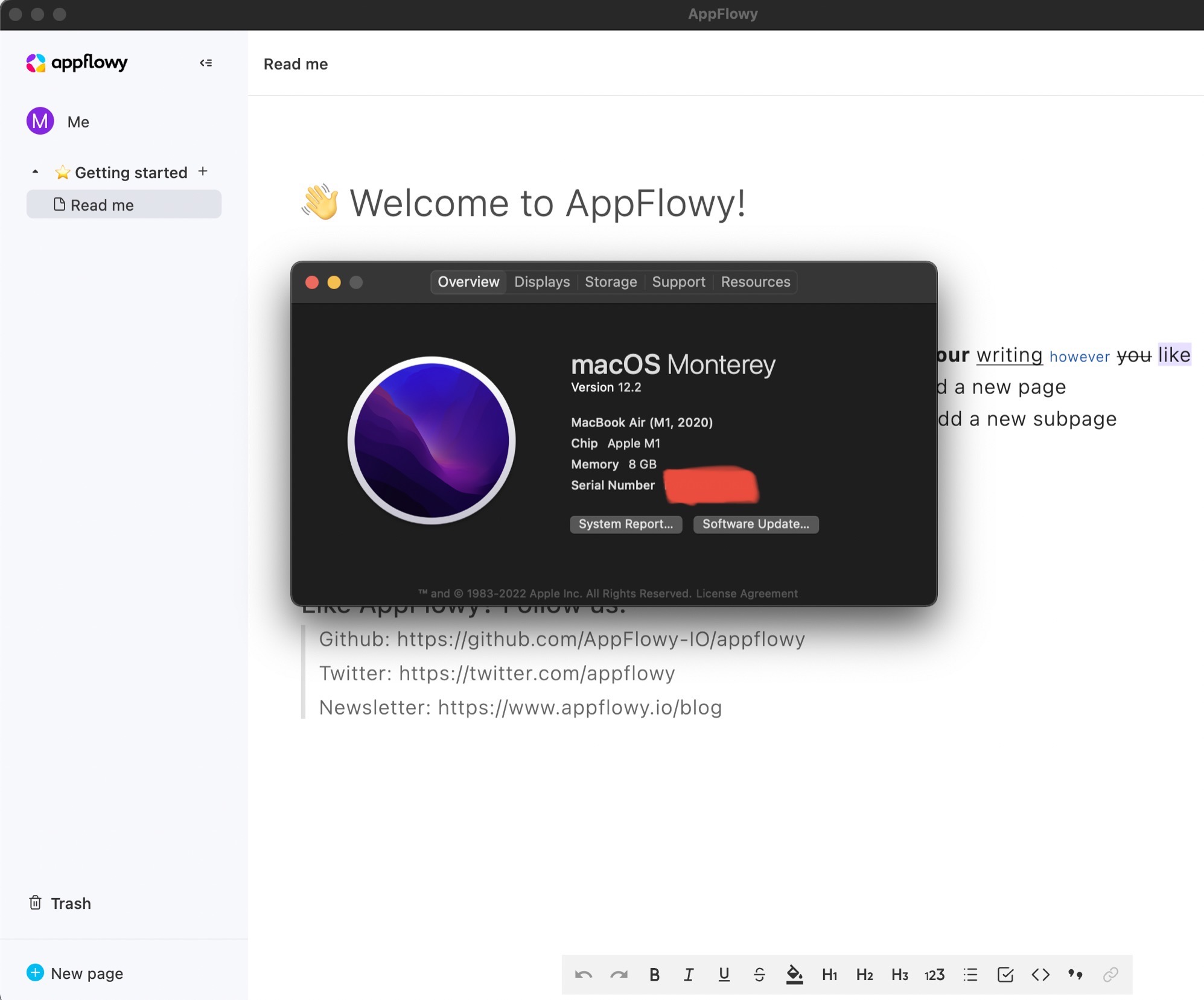
First installation failed on M1 Mac using BREW. Tried
brew upgrade
brew install flutter
brew install rust
Try to make sure my development tools are all updated and I have both flutter and rust. It worked. As owner of this issue mentioned, maybe only brew install rust is enough. Need somebody else with a fresh M1 Mac to validate.
Screen Shot 2022-01-31 at 2 43 29 PM

<!-- gh-comment-id:1026360222 --> @JasonKing66 commented on GitHub (Feb 1, 2022): First installation failed on M1 Mac using BREW. Tried `brew upgrade` `brew install flutter` `brew install rust` Try to make sure my development tools are all updated and I have both flutter and rust. It worked. As owner of this issue mentioned, maybe only `brew install rust` is enough. Need somebody else with a fresh M1 Mac to validate. ![Screen Shot 2022-01-31 at 2 43 29 PM](https://user-images.githubusercontent.com/15242765/151896883-be148ebc-3134-4d76-96eb-38cb0373cb22.jpg)
Author
Owner

@appflowy commented on GitHub (Feb 13, 2022):

@JasonKing66 Thank you! I have updated the documentation on Building on MacOS.

<!-- gh-comment-id:1037767678 --> @appflowy commented on GitHub (Feb 13, 2022): @JasonKing66 Thank you! I have updated the documentation on [Building on MacOS.](https://appflowy.gitbook.io/docs/essential-documentation/contribute-to-appflowy/software-contributions/environment-setup/building-on-macos)
Sign in to join this conversation.
No milestone
No project
No assignees
1 participant
Notifications
Due date
The due date is invalid or out of range. Please use the format "yyyy-mm-dd".

No due date set.

Dependencies

No dependencies set.

Reference
AppFlowy-IO/AppFlowy#138
No description provided.