mirror of
https://github.com/AppFlowy-IO/AppFlowy.git
synced 2026-03-24 04:46:56 +00:00
[GH-ISSUE #887] [Bug] Need more instructions in documentation for Building in Ubuntu #350
Labels
No labels
2024
2025
2026
acct mgmt
AI
automation
bug
calendar
ci
CJK
cloud
code-block
collaboration
copy-paste
database
data migration
data sync
deploy
desktop
develop
develop
documentation
duplicate
editor
editor-plugin
emoji
export
files
flutter-only
follow-up
formula
good first issue for devs
good first issue for experienced devs
grid
hacktoberfest
HACKTOBERFEST-ACCEPTED
help wanted
i18n
icons
images
importer
improvements
infra
install
integrations
IR
kanban board
login
look and joy
mentorship
mobile
mobile
needs design
new feature
new feature
non-coding
notes
notifications
onboarding
organization
P0+
permission
platform-linux
platform-mac
platform-windows
plugins
program
pull-request
Q1 25
Q1 26
Q2 24
Q2 25
Q3 24
Q3 25
Q4 24
Q4 25
react
regression
rust
rust
Rust-only
Rust-only
Rust-starter
Rust-starter
self-hosted
shortcuts
side panel
slash-menu
sync v2
table
tablet
task
tauri
templates
tests
themes
translation
v0.5.6
v0.5.8
v0.5.9
v0.6.0
v0.6.1
v0.6.4
v0.6.7
v0.6.8
v0.7.1
v0.7.4
v0.7.4
v0.7.5
v0.7.6
v0.7.7
v0.7.8
v0.8.0
v0.8.4
v0.8.5
v0.8.9
web
No milestone
No project
No assignees
1 participant

Notifications
Due date
No due date set.
Dependencies
No dependencies set.
Reference
AppFlowy-IO/AppFlowy#350
Loading…
Add table
Add a link
Reference in a new issue
No description provided.
Delete branch "%!s()"
Deleting a branch is permanent. Although the deleted branch may continue to exist for a short time before it actually gets removed, it CANNOT be undone in most cases. Continue?
Originally created by @IMPranshu on GitHub (Aug 22, 2022).
Original GitHub issue: https://github.com/AppFlowy-IO/AppFlowy/issues/887
I faced a few issues while building in Ubuntu 20.04. Until 3rd step of the instruction everything went smooth.
Start following the instruction for building from source in Ubuntu 20.04. You might encounter this error in the 3rd step.
Well, this is not exactly a bug of the software but just an environmental issue of your local machine.
You might have encountered this
warningwhile following the previous stepsAlso if you just scroll and inspect exactly why the build is failing and the solution to this as well.
So just run the following command in the terminal before following the 3rd step and you are ready to build.
export PATH="$PATH":"$HOME/.pub-cache/bin"Also while following the 4th step you might encounter this error.
No such file or directoryJust relax it is not an issue you just have to change the version from
0.0.2 to 0.0.4that you build recently in the following commandcd app_flowy/product/0.0.4/linux/Debug/AppFlowyIf all goes well you can expect to run the AppFlowy that you just built successfully in your local Ubuntu 20.04 machine and get this screen and start working with it.
@ChiragKr04 commented on GitHub (Aug 24, 2022):
Hi.
So I checked the same issue.
The fix will go something like this:
Filesin Ubuntu.Hometab and enable the button to show all hidden files..profileand.bashrc.export PATH="$PATH":"$HOME/.pub-cache/bin"this.Here is a screenshot running on
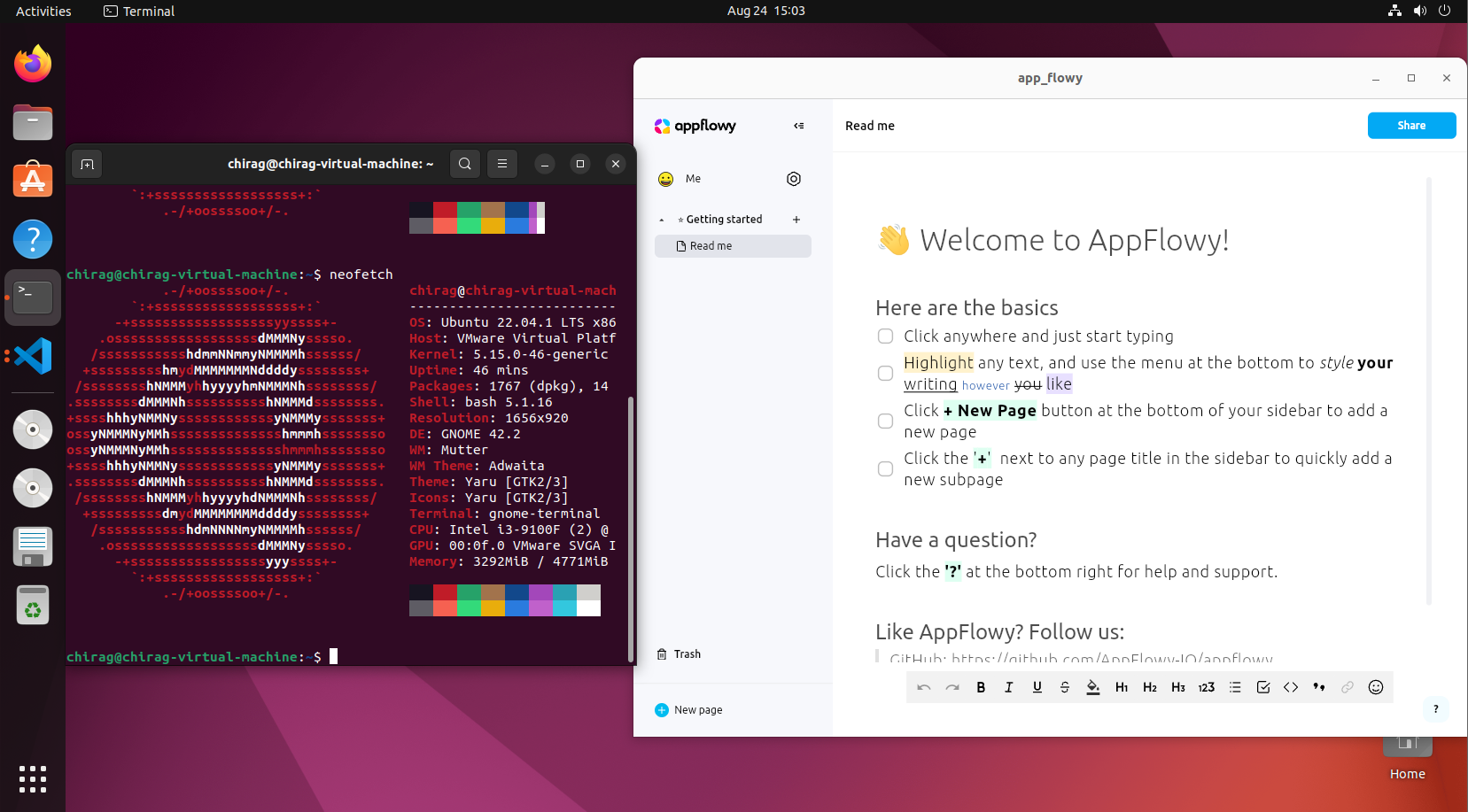
Ubuntu 22.04.1 LTS@rileyhawk1417 commented on GitHub (Jan 23, 2025):
Currently there is updated documentation for this: https://docs.appflowy.io/docs/documentation/appflowy/from-source/environment-setup/building-on-linux
So am closing this issue.