mirror of
https://github.com/AppFlowy-IO/AppFlowy.git
synced 2026-03-24 12:56:59 +00:00
[GH-ISSUE #1917] [FR] Need of Board Improvements #754
Labels
No labels
2024
2025
2026
acct mgmt
AI
automation
bug
calendar
ci
CJK
cloud
code-block
collaboration
copy-paste
database
data migration
data sync
deploy
desktop
develop
develop
documentation
duplicate
editor
editor-plugin
emoji
export
files
flutter-only
follow-up
formula
good first issue for devs
good first issue for experienced devs
grid
hacktoberfest
HACKTOBERFEST-ACCEPTED
help wanted
i18n
icons
images
importer
improvements
infra
install
integrations
IR
kanban board
login
look and joy
mentorship
mobile
mobile
needs design
new feature
new feature
non-coding
notes
notifications
onboarding
organization
P0+
permission
platform-linux
platform-mac
platform-windows
plugins
program
pull-request
Q1 25
Q1 26
Q2 24
Q2 25
Q3 24
Q3 25
Q4 24
Q4 25
react
regression
rust
rust
Rust-only
Rust-only
Rust-starter
Rust-starter
self-hosted
shortcuts
side panel
slash-menu
sync v2
table
tablet
task
tauri
templates
tests
themes
translation
v0.5.6
v0.5.8
v0.5.9
v0.6.0
v0.6.1
v0.6.4
v0.6.7
v0.6.8
v0.7.1
v0.7.4
v0.7.4
v0.7.5
v0.7.6
v0.7.7
v0.7.8
v0.8.0
v0.8.4
v0.8.5
v0.8.9
web
No milestone
No project
No assignees
1 participant

Notifications
Due date
No due date set.
Dependencies
No dependencies set.
Reference
AppFlowy-IO/AppFlowy#754
Loading…
Add table
Add a link
Reference in a new issue
No description provided.
Delete branch "%!s()"
Deleting a branch is permanent. Although the deleted branch may continue to exist for a short time before it actually gets removed, it CANNOT be undone in most cases. Continue?
Originally created by @Checkerface230 on GitHub (Mar 3, 2023).
Original GitHub issue: https://github.com/AppFlowy-IO/AppFlowy/issues/1917
Originally assigned to: @Xazin on GitHub.
Description
Impact
To make the other boards much more viewable. To create different type of cards from the board beside No Status, To do, Doing , Done. To make the board aesthetically pleasing. To know the real status of the card.
Additional Context
No response
@MayurSMahajan commented on GitHub (Mar 5, 2023):
Hey @Checkerface230, thank you for creating this issue, I also feel we should implement a scroll bar on the board's page. There is a way to add a start date and end date on the cards.
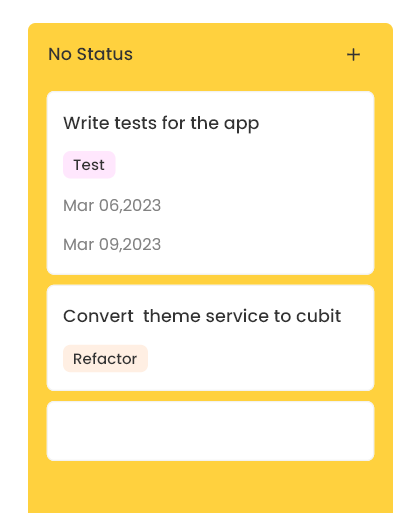
For eg:
Steps: