mirror of
https://github.com/AppFlowy-IO/AppFlowy.git
synced 2026-03-24 21:00:19 +00:00
[GH-ISSUE #158] [Bug] No app icon on Linux #82
Labels
No labels
2024
2025
2026
acct mgmt
AI
automation
bug
calendar
ci
CJK
cloud
code-block
collaboration
copy-paste
database
data migration
data sync
deploy
desktop
develop
develop
documentation
duplicate
editor
editor-plugin
emoji
export
files
flutter-only
follow-up
formula
good first issue for devs
good first issue for experienced devs
grid
hacktoberfest
HACKTOBERFEST-ACCEPTED
help wanted
i18n
icons
images
importer
improvements
infra
install
integrations
IR
kanban board
login
look and joy
mentorship
mobile
mobile
needs design
new feature
new feature
non-coding
notes
notifications
onboarding
organization
P0+
permission
platform-linux
platform-mac
platform-windows
plugins
program
pull-request
Q1 25
Q1 26
Q2 24
Q2 25
Q3 24
Q3 25
Q4 24
Q4 25
react
regression
rust
rust
Rust-only
Rust-only
Rust-starter
Rust-starter
self-hosted
shortcuts
side panel
slash-menu
sync v2
table
tablet
task
tauri
templates
tests
themes
translation
v0.5.6
v0.5.8
v0.5.9
v0.6.0
v0.6.1
v0.6.4
v0.6.7
v0.6.8
v0.7.1
v0.7.4
v0.7.4
v0.7.5
v0.7.6
v0.7.7
v0.7.8
v0.8.0
v0.8.4
v0.8.5
v0.8.9
web
No milestone
No project
No assignees
1 participant

Notifications
Due date
No due date set.
Dependencies
No dependencies set.
Reference
AppFlowy-IO/AppFlowy#82
Loading…
Add table
Add a link
Reference in a new issue
No description provided.
Delete branch "%!s()"
Deleting a branch is permanent. Although the deleted branch may continue to exist for a short time before it actually gets removed, it CANNOT be undone in most cases. Continue?
Originally created by @MikeWallaceDev on GitHub (Dec 15, 2021).
Original GitHub issue: https://github.com/AppFlowy-IO/AppFlowy/issues/158
Describe the bug
The application does not correctly show an icon in the app bar.
To Reproduce
Steps to reproduce the behavior:
Expected behavior
The AppFlowy icon should appear in the app bar
Screenshots

Desktop (please complete the following information):
Additional context
I believe the correct way to fix this is to create a .desktop file.
@MikeWallaceDev commented on GitHub (Dec 22, 2021):
I have created a appflowy.desktop file which is located in /frontend/app_flowy/linux. This file is now included within the release archive file.
However, although the app does appear in the menu, and the icon does appear correctly in the menu, the icon does not appear in the taskbar, app switcher, or app title bar. I can not find a solution for this.
If would be really good if someone could do some research on this because my google-fu is weak on this one.
@moltinginstar commented on GitHub (Jan 5, 2022):
This should do the trick (tested on Ubuntu 21.10):
flowy_logo.svgto/usr/share/icons(or/usr/share/icons/hicolor/scalable/appsas suggested in the icon theme spec)appflowy.desktopto/usr/share/applicationsappflowy.desktop, setIcons=flowy_logo.svg(full path not needed) andExec=<*absolute* path to executable>(e.g.,Exec=/opt/appflowy/app_flowy)appflowy.desktoptoapp_flowy.desktopto match the name of the executable@MikeWallaceDev commented on GitHub (Jan 5, 2022):
Hi @moltinginstar thanks for that! Unfortunately, I have done all your steps exactly, and they do not fix the problem of not having the icon appear in the taskbar, or on the application window.
In the taskbar :

On the application window:
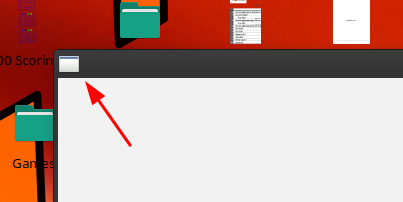
@moltinginstar commented on GitHub (Jan 6, 2022):
I see. I’m not very familiar with Xfce but after some Googling I found this.
Could you try renaming
flowy_logo.svgtoapp_flowy.svgand let me know if it works? Thanks.@MikeWallaceDev commented on GitHub (Jan 6, 2022):
I renamed the .svg, it did not work
I then changed the icon value in the .desktop file (you didn't tell me to do that), it did not work
I then removed the .svg extension in the .desktop file, it did not work.
Thanks for looking at this!
@moltinginstar commented on GitHub (Jan 6, 2022):
Strange. I wonder if that custom icon theme could be to blame. Really sorry to bug you again, but can you also try copying the
svgand the.desktopfile to~/.local/share/iconsand~/.local/share/applications(respectively) and rebooting the computer? If it still doesn’t work, I’ll install Kubuntu on my laptop first thing tomorrow and try to get to the bottom of this. I’ve been following the project for a while now and I’d love to contribute in any way I can :)@MikeWallaceDev commented on GitHub (Jan 6, 2022):
You're not bugging me. I'm the one who created the .desktop file and procedure! I added this issue because I couldn't get those two things to work.
Unfortunately, I can't try that now as I have to go to work.
Just for clarification : I'm on xfce, not kde. So you should look at xubuntu if you want the same environment.
Thanks again! :)
@moltinginstar commented on GitHub (Jan 7, 2022):
Just installed Xubuntu 20.04.3 on a live USB but couldn't reproduce the issue no matter what I tried. If the SVG has a different name from the executable, it doesn't show up in the taskbar and app window, as in your case. However, renaming it instantly fixes the problem for me.
Different name (

flowy_icon.svg):Same name (

app_flowy.svg):At this point, I have no idea what could be causing it. Has anyone else run into the same problem?
@MikeWallaceDev commented on GitHub (Jan 7, 2022):
Maybe my system is corrupted. I tried many things...
@MikeWallaceDev commented on GitHub (Jan 9, 2022):
@moltinginstar I GOT IT!!!
I cleaned up my system as much as possible and redid everything, and it worked!
This -> (or /usr/share/icons/hicolor/scalable/apps as suggested in the icon theme spec) did not work. It only works (for me) in /usr/share/icons
I kind of wish that I didn't have to tell people to put stuff in their /usr dirs, but hey, it works.
I'm going to update the installation guide and mark this as resolved. Thanks!
@moltinginstar commented on GitHub (Jan 9, 2022):
That’s great to hear!
By the way, the same directories in
~/.localshould also work. Be sure to give that a try if you don’t like the idea of users messing with system directories. Ideally, all this “dirty work” should be done by the installer, but since we don’t have one for Linux yet, copying the files manually is the next best thing...@MikeWallaceDev commented on GitHub (Jan 9, 2022):
Yep, I had already tried them when you wrote that :D And indeed, they worked. Like I said, I had all kinds of crap installed (app_flowy.desktop files in different directories, with different names, the icon in different places, with different names...)
The system was probably picking up an old .desktop file with incorrect information.
It all works now, and is checked-in.
However (again), I can't create a new release file (the tar), we're way too far from 0.0.2 for me to just name it 0.0.2, and I have to wait for Nathan to create an official 0.0.3. Once that is done I will update everything.